
Limit a discount to specific collections
By default, a verified Hero ID discount applies to the shopper’s entire cart. If you’d rather reward only part of your catalog — say, a single brand or product line — you can scope the discount to one or more collections. Verified shoppers then get the discount only on products in those collections; everything else in the cart is charged at full price.
This is optional. Leave collections empty and the discount keeps applying to the whole cart, exactly as before.
Before you start
Section titled “Before you start”- Create the collection(s) you want to reward if they don’t exist yet (Products → Collections in your Shopify admin).
- Make sure the products you want discounted are members of that collection.
Step 1 — Open your discount settings
Section titled “Step 1 — Open your discount settings”In the Shopify admin, open the Hero ID app and go to Discounts. You’ll see a Product Collections (Optional) section beneath the discount amount.

Step 2 — Choose your collections
Section titled “Step 2 — Choose your collections”Click Select collections. A picker opens listing every collection in your store. Check one or more collections, then click Select.
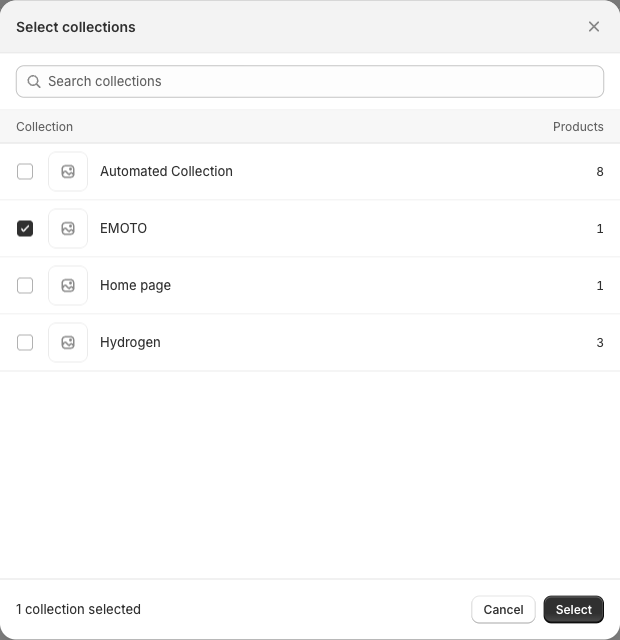
Step 3 — Save
Section titled “Step 3 — Save”Your chosen collections appear as tags. Use the × on a tag to remove one, or Edit collections to change the selection. Click Save Changes to apply.

That’s it. The next time a verified shopper’s cart is calculated, the discount is limited to products in the collections you picked.
What shoppers see
Section titled “What shoppers see”In a mixed cart, only the line items that belong to one of your selected collections receive the discount. Other items are unaffected.
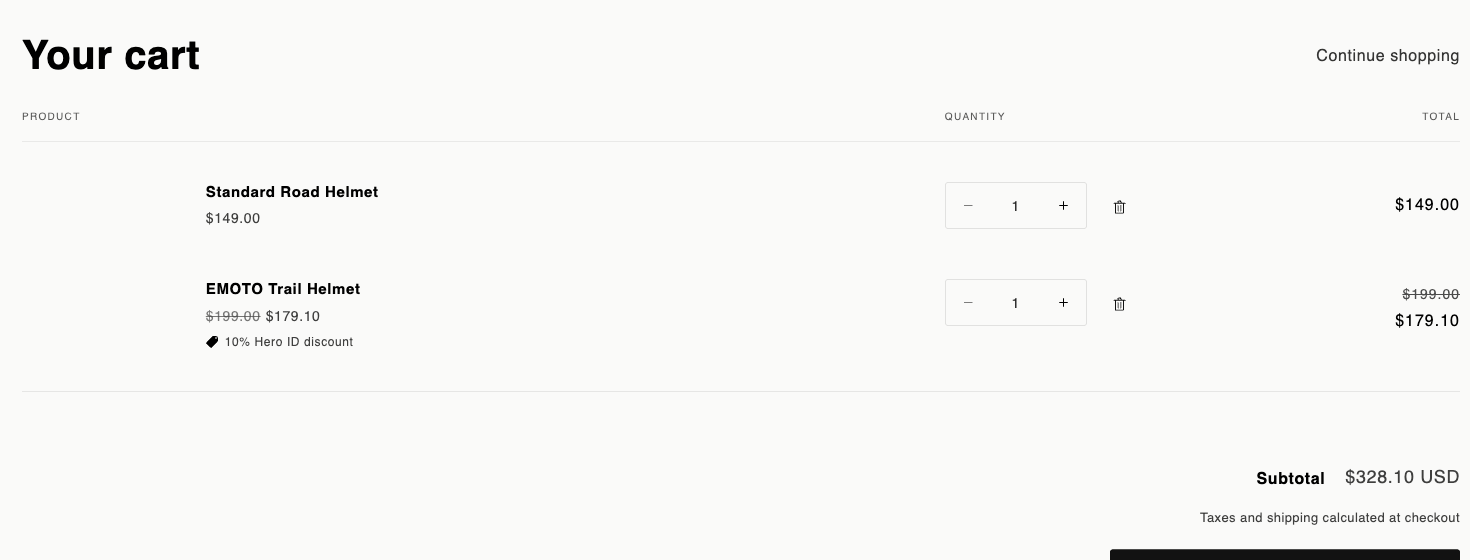
In the example above, the discount applies to the helmet in the rewarded collection (10% off) while the other helmet keeps its full price.
- Percentage discounts apply per eligible line (e.g. 10% off each qualifying product). Fixed-amount discounts apply the set amount across the eligible products in the cart.
- Membership is checked at the moment the cart is priced, so automated (smart) collections work too — a product qualifies as soon as it matches the collection’s rules.
- If none of the products in a shopper’s cart belong to your selected collections, no discount is applied — even for a verified shopper.
- To go back to a store-wide discount, remove all collections (so the section is empty) and save.